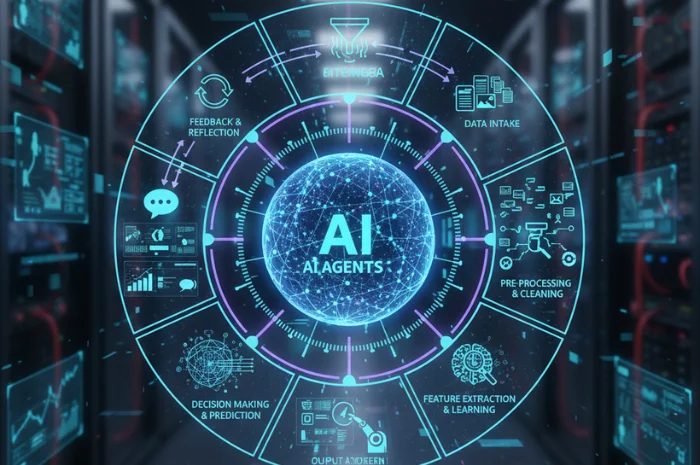
AI tools are being integrated into the software development workflow, and the highest impact is seen when AI is used in conjunction, not in isolation. The 2025 DORA research, conducted on almost 5,000 technology professionals, revealed that 90% of respondents utilized AI in their work, and over 80% believed it enhanced their productivity. But there's a trust issue, too: 30% of respondents were not very confident in the code produced by AI.
That's where AI agent workflow automation in software development comes in handy. The possibilities of AI agents are not limited to coding in an editor. They can research a ticket, browse a code base, add or edit code, run tests, create a pull request and if permitted, provide it to a developer for review. The objective isn't to take developers out of the equation. Instead, AI agent workflow automation integrates repetitive tasks throughout the software development lifecycle, reducing developers' time on repetitive tasks and context switching.
Key Takeaways
An AI agent can link tasks throughout the software development lifecycle, ranging from the ticket triage to coding, testing, CI/CD, and operations.
Traditional automation is best suited for work that can be done without much variability and involves rules. When there is a need for context, interpretation and tool selection, AI agents come into play.
Limit the scope of the first implementation to a specific slice of the use case, rather than trying to automate the whole development process.
Spend time developing and rehearsing orchestration tools and frameworks for the complexity of the workflow. For a simple task, a multi-agent architecture is not necessary.
Gradually introduce autonomy, restrict permissions and maintain human control for risky actions.
Track actual results, such as cycle time, developer time saved, defect rates, rework, deployment performance and agent reliability.
What AI Agent Workflow Automation in Software Development Is
AI agent workflow automation in software development involves having AI agents carry out or manage several stages of a software development process. An agent is not just an AI assistant, it can interact with:
For instance, a ticket-triage agent might be able to read a fresh issue, classify the type of ticket, determine which service the issue is affecting, look for any relevant documentation, and put it into the right team. The coding agent can then view the repository, make a plan, make changes, run tests and open the pull request. GitHub's cloud-based Copilot agent can perform this kind of workflow: Research a GitHub repository, generate a plan, propose changes to the code on a branch, and open a PR, and track the proposed changes in the log and commits.
The key difference is in the orchestration. In the traditional software development process, developers are forced to wade from one application to another to navigate between a ticketing system, a repository, an IDE, a CI/CD pipeline, documentation platform, and communication tools. With the proper integrations and guardrails, AI agents can link these stages together.
The process could be as follows:
The problem → the research → changing the code → testing and quality assurance → code review → deployment
An agent doesn't have to oversee all the stages. A team can use automation to create tickets and tests, and then add a human being to oversee the code review and deployment to production. Level of autonomy should be commensurate with the risk of the task.
AI Agents vs Traditional Workflow Automation
The traditional workflow automation is based on the rules that are already determined. An action is carried out by the system when a certain event takes place, but this action was already programmed. For example:
New ticket is created → Assigned to the backend team
This method is effective when the input and output are foreseeable. It is quick, reliable and testing is simple.
Where interpretation is needed in the workflow, AI agents can be more helpful. An agent has access to the information contained on a ticket, can check the documentation and previous tickets to see if it is a bug or feature request and can suggest what to do next. It does not take a specific rule, but an LLM to understand the context and works with the approved tools.
The difference becomes clearer in a software development example:
Why Dev Teams Are Adopting AI Agents
Developer Bottlenecks and Context Switching
A developer can work on a feature from start to finish in Jira, switch over to GitHub to review a repository, search Confluence for documentation, review CI logs, and then switch back to the codebase to work on a feature. For each switch, the developer must recreate context.
Some agents can be more frictionless with the power of AI, by performing work across connected tools. For instance, Atlassian Rovo can search across Jira, Confluence, Slack, Google Drive, and other connected sources, and honour existing user permissions. It's Rovo Ops agent also receives details from previous incidents, runbooks, Jira work items and related discussions to aid in incident triage.
This is not to say that all the context switches should be automated. The best use cases eliminate the need to re-gather information, allowing developers to concentrate on decisions that require technical judgment.
The Business Case
The business argument for the use of AI agents for workflow automation in software development should be around the net productivity, rather than the volume of code generated by the AI tool. METR carried out a randomized controlled trial in 2025 using AI tools with 16 seasoned open-source developers on 246 tasks. The developers had the hope that AI will cut time in completion by 24%. In the study, however, the use of AI tools meant that tasks were completed 19% slower for the developers. The findings were not meant to be representative of the impact of AI in general, the researchers said, as they were conducted on a specific set of tools, developers, and even code bases.
AI-driven work can lead to review, debugging and maintenance expenses. So, organizations should evaluate the entire development process for AI agents.
Need a Board Ready AI Roadmap
What AI Agents Automate Across the Lifecycle
Code Generation and Review
Coding agents can be used to have a defined task, check a repository, make a plan, edit files, perform checks, and open a pull request.
AI can also serve as a second layer of review. In March 2026, GitHub announced that Copilot code review was used for over 60 million reviews and made up over 1/5 of all code reviews on GitHub. But AI review is not a substitute for human review, especially in the case of security sensitive and complex changes.
Test Generation and QA
AI agents can write unit tests based on the provided code, find potential edge cases, and propose more test cases. There are tools like GitHub Copilot, Qodo, and Amazon Q Developer that can assist in various aspects of this.
The value is greatest when the agent is in the actual codebase and already existing test standards. A developer may request an agent to review a payment function, find branches that haven't been tested, write some unit tests, and execute the test suite. Tests that are generated still require review as an agent can create tests that validate a code's functionality without determining if the code meets the business's functionality.
CI/CD Monitoring and Triage
If a pipeline fails, one of the first things engineers will do is to examine logs, recent commits, dependency changes, and previous failures to determine what to do. With AI agents, this information can be consolidated, and the next steps are suggested.
For instance, AWS DevOps Agent can analyze operational data and past incidents to investigate incidents, identify the root causes, and suggest mitigation measures. AWS has also shown how to integrate with Datadog MCP Server so that an agent can access monitoring data and correlate it with infrastructure and deployments.
It's not the same type of AI use as code generation. An agent's task is to find out the cause of an operational issue and to reduce the amount of time it takes to get to that conclusion.
Ticket Triage and Documentation
AI agents can streamline administrative tasks associated with development. Atlassian Rovo also has agents to organize Jira work items and to write release notes.
This establishes a helpful link between the ticket triage and documentation. Once resolved, an Agent can write a post-incident review or draft a knowledge base article and summarize the incident, highlighting the actions taken. The content can then be checked by a developer or incident owner before it's published.
Deployment and Ops
One of the highest-risk areas for agentic automation is deployment, as a wrong action can have an impact on production systems. For instance, if a proposed release is submitted to an agent, he or she may look and see if it changes any services that could have an impact on other services, and recommend whether more checks are necessary. In more mature environments it can perform pre-defined remediation steps within strict permissions.
AWS DevOps Agent is an example of this. It has incident investigation and root-cause analysis capabilities, and new release-management capabilities are available to evaluate changes prior to production. The general direction is to bring together the context of development and operations so that the agent will know what's changed and what is happening within the system after it's deployed.
How to Implement AI Agent Workflows
Start With a Narrow Use Case
Select one of the processes that has a clear start, end and measurable output. Common good starting points are ticket triage, test generation, documentation updates, or looking into broken CI jobs.
For instance, a team might start with an agent that reads a Jira ticket, determines the probable service, goes through their own documentation and makes a recommendation on who to assign it to. Doesn't require permission to change production code. When the team has enough information regarding the accuracy and escalation speed, it is able to determine if it should enlarge its role.
Choose Your Orchestration Approach
The orchestration layer defines how the agent is to be given context, how it chooses which tools to use and how it flows through the workflow. In a simple workflow, there can be only one agent and some tools are defined. For more complex processes, there can be multiple specialized agents, which can be coordinated by an orchestration framework.
Depending on the architecture and cloud environment, teams can design these workflows using their preferred tools, including LangGraph, Microsoft Azure AI Foundry, Amazon Bedrock, or Google Vertex AI. The Model Context Protocol (MCP) can also enable a standardized way for AI apps to be integrated with external tools and data sources.
The decision should depend on how complicated the workflow is. A multi-agent architecture is not necessarily required for a ticket-classification task. Too many agents can add to the cost and slow down response time and make debugging more complicated.
Roll Out in Phases
A phased rollout enables teams to gradually gain in autonomy:
Assist: The agent gives suggestions to a developer as he or she is working.
Recommend: The agent suggests an action that needs to be approved by the human.
Execute: The agent does low-risk actions automatically.
Expand: Increase number of tools or workflows following review of performance.
For instance, an agent could propose repairs to failed builds first. Once it has been successful in providing reliable recommendations, it can be trusted to re-run the approved tests or generate remediation tickets. Changes to production would still need to be approved separately.
Keep Humans in the Loop
Human intervention should be done based on risk and not applied regardless of the task. An agent's draft documentation does not necessarily require developer approval, but stronger controls are needed for a deployment to production or changes that could impact security.
This distinction is reflected in GitHub Copilot's code reviews: those reviews offer comments and suggestions, but they are not mandatory or blocking for a merge. The final decision is thus at the discretion of a human reviewer.
Measuring Impact and Productivity
Measure the Baseline
Record the performance of the existing workflow prior to introducing an agent. This can be a ticket-triage agent's average time to assignment, the misrouting rate, and the number of tickets that need to be reassigned manually. A useful baseline for a CI/CD agent could be mean time to recovery, time spent investigating failed builds, and the proportion of occurrences in which engineers are able to fix something without the help of an agent.
There is no value in assessing process improvement unless a baseline is established.
Track Developer Productivity and Flow
Track time on repetitive work, context switching for developers. Useful indicators include:
The time spent on ticket triage and routine investigation will be reduced.
Days from issue creation until a first code change that works for others was made
The time taken to review the generated code from AI.
How many interruptions and how many context switches the developer experiences
The time spent on keeping documentation will be included.Documentation maintenance time will be accounted for.
Track Delivery Performance
Measure software delivery outcomes to gauge the impact of AI on the broader development system. These may include:
Lead time for changes
Deployment frequency
Change failure rate
Time to restore service
The objective is to determine if the software can be produced faster with the workflow without increasing the number of failures or rework.
Measure Quality and Agent Reliability
A faster workflow is not a successful workflow if it results in more defects. Monitor pass rates, escaped defects, code review rework, security issues and percentage of agent output that needs to be corrected.
For the agent, track the number of tasks completed, escalations, tool call mistakes and how often they recommend bad solutions. These metrics will indicate where the agent is helpful and where human effort is still needed.
Calculate the Full Cost
Consider ROI for model usage, infrastructure, integrations, monitoring, maintenance and human review. A workflow that saves the developer 100 hours but requires a tremendous amount of manual checking might not be as valuable as it appears to be if it's automated.
Typically, comparing the savings in time and quality retained with the overall cost of the AI agent workflow makes the best business case.
Common Pitfalls to Avoid
Automating a Bad Process
You can't automate a workflow if you don't know what it does, it doesn't do the same thing over and over, and you don't know what you're supposed to do. Start by defining the process (then determine which steps are truly agentic steps for automation).
Giving Agents Broad Permissions
Having access to all the systems is not a right that an agent should have just because he might need it in the future. Ensure least-privilege access and restrict tools based on the agent's role.
Skipping Evaluation
A successful demo does not mean that an agent is reliable. Test it using standard requests, partial information, unusual input, tool failures and trying to beat out of scope.
Measuring the Wrong Thing
The quantity of the lines of code or automated tasks generated doesn't necessarily indicate business value. Track metrics like cycle time, defect rates, developer time saved and human rework.
Ignoring Maintenance
There is a software change after an agent goes live. APIs, repositories, documentation, models and business rules all change. If an agent is not monitored and updated regularly, there is a possibility that his performance may decrease over time.
What is AI agent workflow automation in software development?
It leverages AI agents to execute or orchestrate actions across software development processes like coding, testing, ticket processing and documentation, and CI/CD operations.
How are AI agents different from traditional automation?
Traditional automation is rule-based. AI agents can grasp context, choose authorized tools, and decide the following action in a predetermined workflow.
What parts of the dev lifecycle can AI agents automate?
AI agents can help with code generation, code review, testing, QA, ticket triage, documentation, CI/CD monitoring, incident investigation, and some aspects of deployment.
Do AI coding agents replace developers?
No. They are able to deal with repetitive development activities but developers still need to determine requirements, review critical changes, take technical choices, and ensure that critical actions are carried out.
How do you roll out AI agents safely?
Keep use case as simple and narrow as possible, restrict permissions, test agent extensively, implement autonomy gradually and maintain human approval of high-risk actions.
How do you measure AI agent productivity gains?
Make comparisons with a pre-AI comparison. Monitor things like cycle time, developer time saved, deployment performance, defect rates, rework, and agent's task completion, escalation rates.